Cloud Calendars vs Fantastical Apple Watch App: Multi-Day Timeline Density, Month Legibility & iOS 18 Widgets
Technical comparison of Cloud Calendars and Fantastical Apple Watch App evaluating Fast Glanceable iPhone Lock Screen & StandBy Synergy and Multi-Day Timeline Density, Month Legibility & iOS 18 Widgets on iPhone and iPad.
Executive Summary: Cloud Calendars vs Fantastical Apple Watch App
Teams evaluating Cloud Calendars: Sync & Widget against Fantastical Apple Watch App primarily focus on Fast Glanceable iPhone Lock Screen & StandBy Synergy and Multi-Day Timeline Density, Month Legibility & iOS 18 Widgets. While many calendar tools either lock you into a single provider ecosystem or route your corporate credentials through third-party cloud relays, Cloud Calendars synchronizes directly from your iPhone and iPad while embedding full Apple WeatherKit telemetry.
| Evaluation Criterion | Cloud Calendars (Arte Soft) | Fantastical Apple Watch App |
|---|---|---|
| Primary Differentiator | Fast Glanceable iPhone Lock Screen & StandBy Synergy | Standard single-angle calendar workflow |
| Data & Credential Path | 100% Direct Device-to-Provider (Zero Cloud Relay) | Varies by vendor cloud account / telemetry policy |
| Supported Providers | iCloud, Google, Exchange, Outlook, Office 365 & CalDAV | Often restricted or requires middleware bridge |
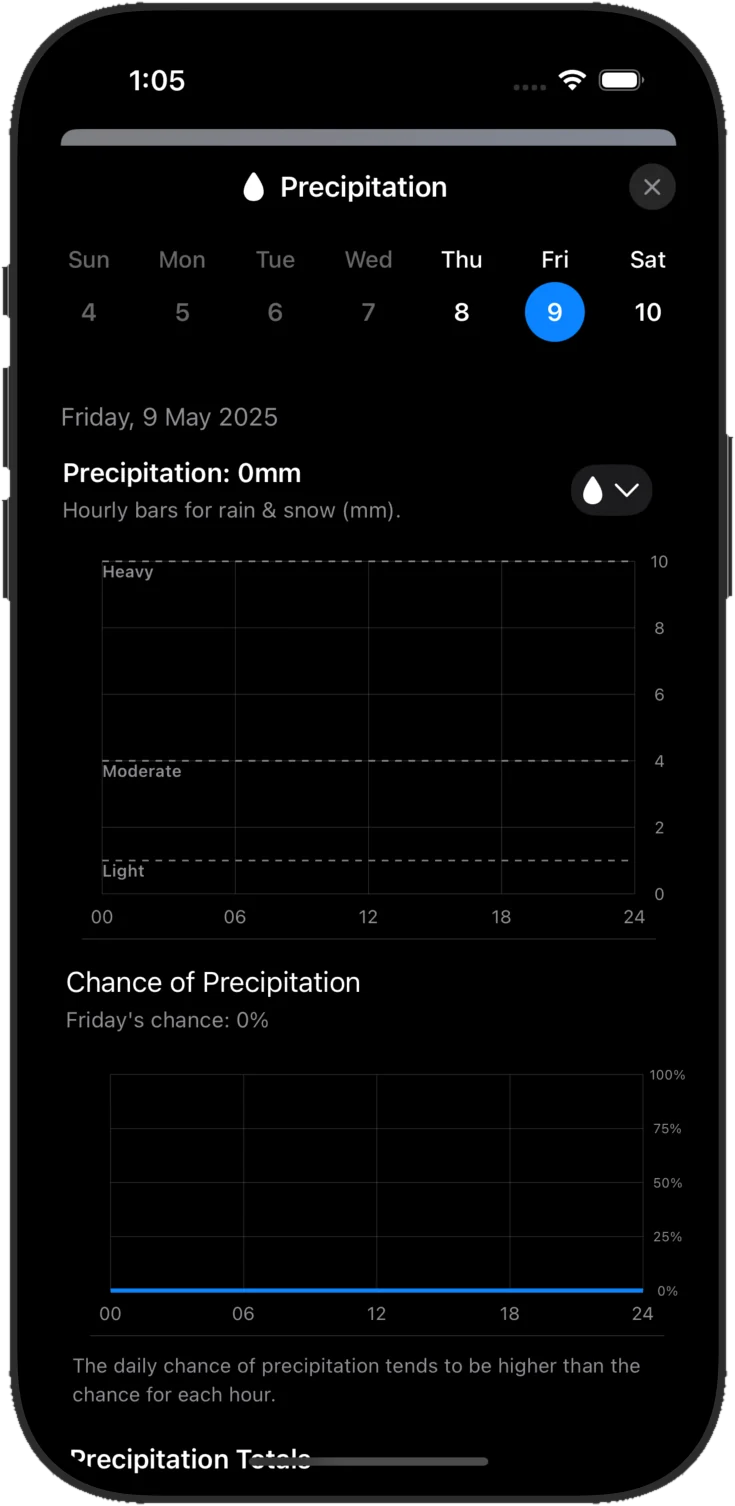
| Built-In Weather Telemetry | 7-Metric Apple WeatherKit (Temp, Rain %, UV, Wind, Pressure, Humidity, Visibility) | Requires switching to a separate weather app |
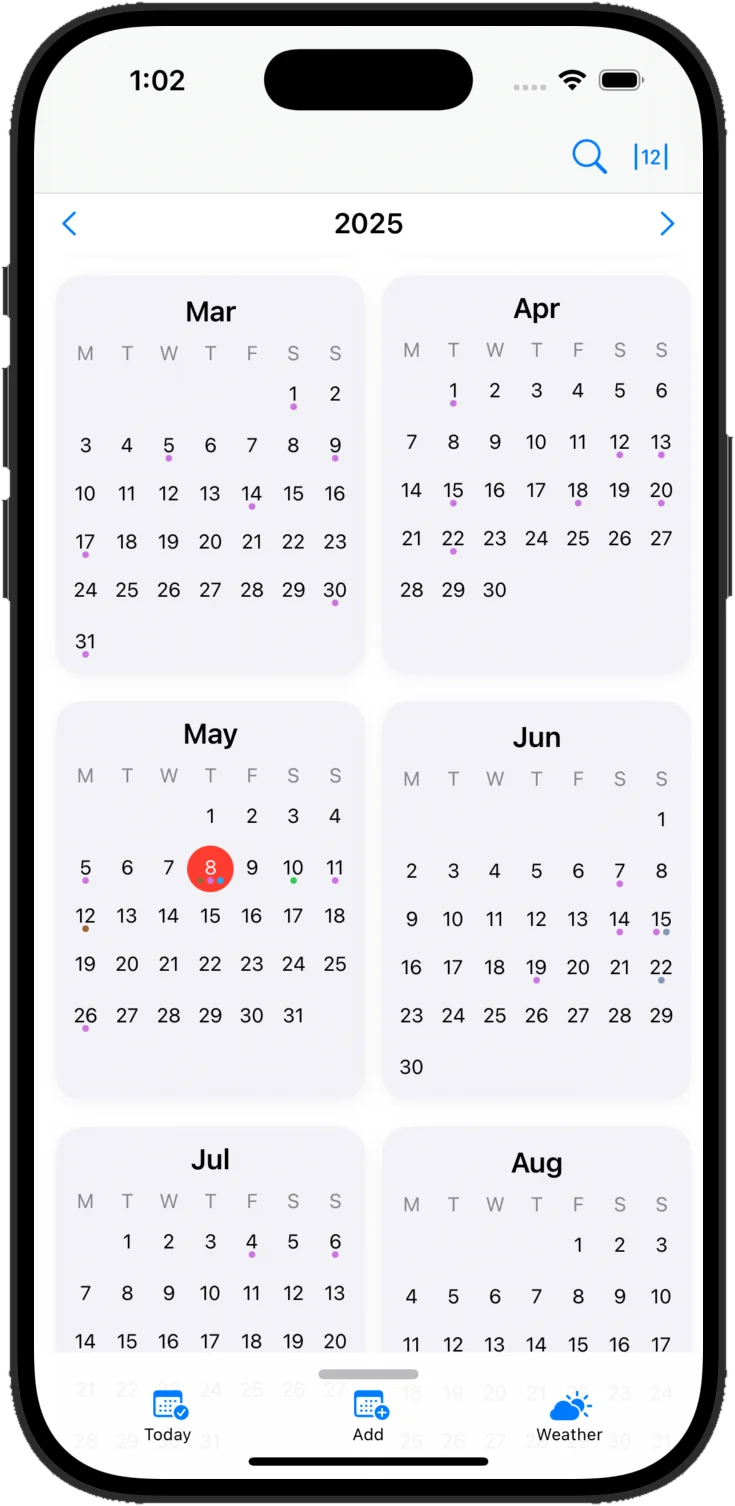
| Month View Readability | Full readable event titles & multi-day banners | Often truncates to dots on mobile screens |
Visual Workspace & Live WeatherKit Overlay
Frequently Asked Technical Questions
What is the biggest advantage of Cloud Calendars over Fantastical Apple Watch App?
Cloud Calendars combines Fast Glanceable iPhone Lock Screen & StandBy Synergy with direct on-device synchronization (no cloud relay server) and built-in hourly Apple WeatherKit overlays.
Can I migrate from Fantastical Apple Watch App without losing any events?
Yes. Because Cloud Calendars connects directly to your existing iCloud, Google, Exchange, and CalDAV accounts, all your events appear immediately upon sign-in.